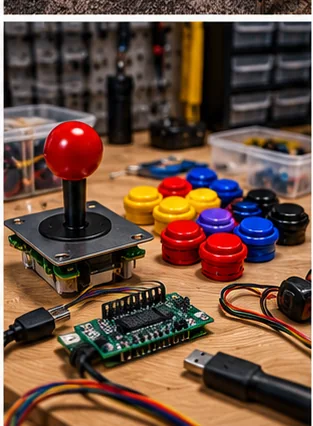
Power down and start with the mildest method
To clean an arcade control panel, switch the machine off and unplug it, wipe the surface dry first, and only then move to a damp cloth with a mild cleaner, testing in a hidden spot. Sticky buttons are usually spilled drink, skin oil or dust, and the fix is to clean the button and its housing, not to soak it or spray anything into the switch.
The order matters. Start with the least aggressive method and move up only if it fails. Printed overlays and artwork are the most delicate parts of a panel, so protect them as you work.
What to have on hand
- Soft microfiber cloths, one for damp work and one for drying
- A soft brush, such as a clean paintbrush or detailing brush
- Mild dish soap, diluted in water
- Cotton swabs and a plastic scraper or old card for gunk in seams
- Small containers to hold parts, and a phone to photograph wiring before you disconnect it
- The panel's manual, if you have one, for cleaning limits on printed artwork
Avoid abrasive pads and harsh solvents on printed artwork and plastics. Some cleaners cloud clear plastics or lift ink, so test anything unfamiliar on a hidden corner and wait to see how it dries.
Panel surface and overlays
Dust first with a dry cloth or soft brush. Use a damp, not wet, cloth with a tiny amount of mild soap for grime, then follow with a dry cloth. Work in small areas, wipe in one direction, and keep moisture away from edges and seams, where it can creep under a printed overlay or into the wood.
Printed overlays and clear covers vary. Some are laminated, some are bare ink, and some are old and brittle. Do not rub hard, do not use strong solvents, and stop if ink transfers to the cloth. Lifting corners are a sign to stop and get advice from the maker or a restoration guide, since scrubbing will tear them. The art and cosmetic restoration guide covers lifted or damaged artwork, and a new protective overlay is an option for a panel that is beyond saving.
Sticky and gritty buttons
A sticky button is usually dirty at the plunger and housing, and the microswitch below is a separate part. Many buttons come apart with a retaining nut or tabs, and the plunger and housing can be cleaned away from the panel. Check how yours comes apart before you pull on it, because forcing a snap-fit part cracks it.
- Disconnect power, then photograph the wiring.
- Remove the button from the panel following its design (nut, tabs or clips).
- Pull the plunger and housing apart, keeping the spring and any parts together.
- Wash plastic parts in lukewarm water with mild soap and a soft brush, then rinse and dry completely.
- Wipe the inside of the housing, leaving the microswitch dry and untouched.
- Reassemble, refit and test before closing up the panel.
Do not pour cleaner into a switch or squirt lubricant into it. Liquids can leave residue on contacts that causes new problems. If a button still sticks or clicks inconsistently after cleaning, the switch may be worn, and the microswitch guide explains what to check. The best arcade buttons guide helps if you decide to replace the lot.
Joysticks, trackballs and spinners
For sticks, wipe the shaft, the dust washer and the ball top, and remove a layer of dust from around the base. Follow the stick maker's guidance before using any lubricant, and keep lubricants off switch contacts. A gritty stick may be dirty rather than worn, so clean first. If the spring is tired or you want to retune the stick, restrictors, gates and springs covers the parts.
Trackballs and spinners collect dust and skin oil on their rollers and bearings. Use the maker's instructions to remove and clean the ball and check the rollers, and keep liquids out of the sensors. The trackball and spinner guide has more detail on these parts.
Stubborn grime, tape and sticker residue
Hardened gunk responds to patience. Dampen it with a drop of mild soap solution, let it soften, and lift it with a plastic scraper or card, never metal. For tape or sticker residue, try gentle rubbing with a soft cloth first. Stronger adhesive removers can strip paint and artwork, so test them on a hidden spot, use the smallest amount, keep them off printed areas and follow the label.
Wood edges and T-molding clean with the same damp-cloth approach. Dry them fully so moisture does not swell the edge. If trim is loose or cracked, replacing T-molding is a separate job.
Cleaning mistakes to avoid
- Spraying cleaner straight onto the panel or buttons
- Scrubbing printed artwork until the ink lifts
- Soaking a button with the microswitch still attached
- Forcing snap-fit parts that were never meant to come apart
- Reassembling before every part is dry
Slow is safe. If you are unsure whether a method will damage the artwork, leave that area alone, clean the buttons and sticks, and ask the maker or a restoration group about the overlay. A grimy but intact panel can be cleaned later; a scrubbed-off one cannot be put back.
Build a light routine so deep cleans stay rare. Dust the panel weekly if you use the cabinet often, wipe it monthly with a lightly damp cloth, and check every button a few times a year. Ask guests to keep drinks away from the panel, since spills cause most sticky-button emergencies. The restoration basics guide covers longer-term care.
Frequently asked questions
What is the safest way to clean an arcade control panel?
Unplug the machine, dust it, then wipe with a barely damp microfiber cloth and mild soap, testing in a hidden spot first.
How do I fix sticky arcade buttons?
Remove the button, clean the plunger and housing with mild soap and water, dry everything and leave the microswitch dry.
Can I spray cleaner on the panel?
No. Spray can run into switches, seams and wiring. Apply cleaner to a cloth, not to the panel.
What should I avoid on printed overlays?
Avoid harsh solvents, abrasive pads and hard rubbing. Test anything unfamiliar on a hidden corner.
Should I lubricate joysticks and buttons?
Follow the maker's guidance first, and keep lubricants away from switch contacts. Cleaning solves most sticky or gritty problems.
Affiliate disclosure: HomeArcadeGuide.com may earn from qualifying purchases through Amazon Associates and eBay Partner Network at no extra cost to you. Manufacturer links in the source section are research references, not tracked endorsements.