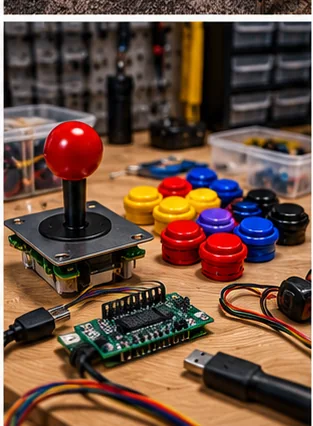
What restrictors, gates and springs do
A joystick restrictor, also called a gate, is the plate around the base of the stick that limits where the shaft can travel. Swapping it changes the stick from, say, eight directions to four, or to a simple left-right motion for a game that only needs that. The spring returns the stick to center, and its stiffness changes how much force it takes to move the stick and how quickly it snaps back.
These small parts are cheap compared with a new stick, and they are the quickest way to tune a panel for the games you actually play. The catch is fit: gates and springs are made for specific stick models, and what fits one stick may not fit another.
Gate shapes and the games they suit
Gate choice is about the game, not about taste alone. Wikipedia's arcade controller article (a secondary source) notes that most modern sticks are eight-way while many vintage games use four-way or even two-way sticks, which causes compatibility problems that a restrictor gate can fix. It uses Pac-Man as the classic four-way example: with an eight-way stick, a diagonal press can send the character the wrong way. It says square gates block diagonals for four-way games, and that octagonal gates are the most common home-controller modification, favored for fighting games.
| Gate type | What it allows | Typical use |
|---|---|---|
| Four-way | Up, down, left and right, with diagonals blocked or discouraged | Games designed around four directions, such as Pac-Man |
| Eight-way | Four directions plus diagonals | Fighting games, many shooters and run-and-gun games |
| Two-way | Left and right only | Vintage games that only move left and right; check the game's control listing |
| Round | Movement anywhere inside a circle, with no fixed directions | Builders who want free movement; check the maker's gate list for your stick |
Check the controls listed for the games you play, because individual titles vary. A lot of builds use one stick and a gate that can be swapped when you change games. If you play many different games, consider an eight-way stick with a four-way gate you can rotate in, or two sticks with different gates. If the stick has a rotating or removable gate, the maker's instructions will show how.
Replacement springs
Springs wear out and can also be changed on purpose. A weak or fatigued spring leaves the stick slow to return or off-center, which shows up as dropped inputs, especially diagonals. A stiffer spring resists accidental inputs and gives a firmer feel. A lighter spring is quicker to move but can feel loose.
Try the stock spring first. Change it only after you can name what you dislike, such as a stick that drifts or one that tires your hand. Keep the old spring until you are sure the new one is better, so you can go back. Do not stretch or cut springs to alter their feel, because that damages the temper and can shorten their life.
As an eBay Partner, I may be compensated if you make a purchase.
How to confirm a part fits your stick
- Identify the stick maker and model, which is often printed on the base, the shaft collar or the packaging.
- Find the maker's parts list or manual for that model. Names and part numbers differ between sticks, and Sanwa and Seimitsu parts are generally not interchangeable.
- Match the listing to the exact model, not just the brand, since a maker may have several stick designs.
- Compare any dimensions on the listing with your old part, and ask the seller if the listing is vague.
- Check whether the gate bolts to the stick body, the panel or both, because mounting differs.
The Sanwa vs Seimitsu comparison explains the differences between these two families, and the joystick mounting patterns post shows how stick bases line up on a panel. If the part list is unclear, contact the maker or the seller before you buy.
Swapping parts safely
Power down the machine or unplug the controller's USB cable before you work on the panel. Joystick work is low voltage in most home builds, but panels often sit near other wiring, and a stick that is pushed around while connected can send stray inputs to the game. If your cabinet has a mains-powered monitor or supply behind the panel, follow the manual and a qualified technician for those parts.
Take a photo before you disassemble. Note which way the gate faces, how the spring sits and where the shaft passes through the base. Work over a tray so small parts do not roll away, and keep the stick's mounting hardware together. Reassemble in reverse and test every direction in a controller test screen or a game before you close the panel.
Testing and tuning
After the swap, run a simple test. Press each of the eight directions in turn and watch the input display. Then play a game you know well for a few minutes. Diagonals that fail, directions that stick, or a stick that is tiring to hold are signs to go back to the old part or try a different one.
If a game still feels wrong, the stick may not be the issue. Panel layout, button spacing and the encoder can all affect feel. The joystick guide and the controls and parts guide are good next stops. If a stick feels gritty or slow, clean it and check for loose hardware before you replace anything.
Mistakes that waste money
- Ordering by appearance alone and not by exact stick model
- Changing the gate, the spring and the button layout at the same time, so you cannot tell which change helped
- Choosing a very stiff spring for comfort, then tiring your hand
- Leaving gate screws loose, which lets the plate shift and makes diagonals unreliable
- Throwing out the stock parts before you are sure the new ones are better
A calm approach works best. Pick one game you play often, change one part, and play for a session before you decide. Many players find that the stock setup is fine for most games and only one or two titles need a different gate. If you share the cabinet, agree on a default setup, and keep a spare gate or spring in a labeled bag so switching is quick.
Frequently asked questions
What does a joystick restrictor do?
It limits where the stick can move, such as to four directions or two, so the stick suits the game you are playing.
Do Sanwa and Seimitsu parts fit each other?
Generally not. Match parts to the exact stick model using the maker's parts list.
Should I change my joystick spring?
Only after you can say what is wrong. Try the stock spring first, keep the old one, and do not cut or stretch springs.
Which gate is best for Pac-Man?
Pac-Man was designed around four-way movement, so a four-way gate is the usual choice. Check the controls listed for the version you play.
Do I need to unplug the panel before swapping a gate?
Power down or disconnect the controller first. If mains-powered parts sit behind the panel, follow the manual and a qualified technician.
Affiliate disclosure: HomeArcadeGuide.com may earn from qualifying purchases through Amazon Associates and eBay Partner Network at no extra cost to you. Manufacturer links in the source section are research references, not tracked endorsements.