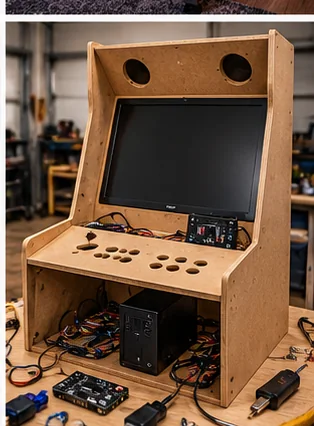
Find where the noise starts
Hum, buzz and weak sound in an arcade cabinet usually come from one of four places: the audio source, the cable between source and amplifier, the amplifier and its power, or the speakers and the cabinet around them. Swapping speakers before you know which one is at fault often costs money and leaves the noise in place.
The fastest test is to split the chain. With the cabinet on and the volume up a little, unplug the audio cable where it enters the amplifier. If the noise stays, the problem is in the amplifier, its power or the speakers. If the noise stops, the problem is upstream in the PC or console, or in the cable and its ground connection. Write down what you find, then work through the sections below.
Symptom, likely cause, first fix
These are common patterns, not guarantees. Cabinets differ, so treat the table as a place to start.
| Symptom | Likely cause | First thing to try |
|---|---|---|
| Steady low hum that does not change with volume | Ground loop between devices on different power paths | Try one power strip for the chain; try a ground loop isolator on the audio cable |
| Buzz or whine that changes when you move the joystick or press buttons | Interference through USB or control wiring | Reroute audio cables away from USB and control wires; try a different USB port |
| Crackling when you touch the cable | Loose or dirty connector | Reseat or replace the cable and plug |
| Buzzing at certain bass notes | Loose panel, grille or speaker mounting | Tighten the mounts and add a foam gasket under the speaker flange |
| Quiet sound even at full volume | Gain set low, wrong output, or undersized amplifier | Check system volume, output selection and amplifier gain |
Ground loops and power
A steady hum that does not change as you turn the volume up and down, and that goes away when you unplug the input, points toward a ground loop. Wikipedia's ground loop article (a secondary source) explains the mechanism: when a cable shield ties the chassis of two grounded devices together, the power cords' ground wires complete a loop, nearby AC wiring induces current in it, and the result is heard as a line-frequency hum. In a cabinet this can happen when a PC, a monitor and a separate amplifier are all grounded and joined by an audio cable.
Start with the cheap tests. Power the audio chain from one strip, which sometimes helps, and try a different audio path. The same article notes that a loop can still form through a cable even when everything shares an outlet, and it describes isolation, such as a small isolating transformer in the signal line, as a quiet and reliable cure. A ground loop isolator for the audio line is the consumer version. Check what an isolator is built for before buying, since some suit line-level audio and others suit speaker wiring.
Do not defeat a safety ground by removing the third prong or using a cheater plug. The article warns that this creates a shock hazard, and it can leave a device ungrounded. If the problem is in the mains wiring or a power supply, check your manual and use a qualified technician.
Buzz, whine and interference
If the noise follows activity, such as button presses, screen changes or a disk spinning up, something is leaking interference into the audio path. Common culprits in a cabinet are audio cables bundled with power or USB cables, a switching power supply sitting near the amplifier, and onboard PC audio, which tends to pick up noise from its own board.
Try these steps in order:
- Separate the audio cable from power and control wiring, and cross them at right angles if they must meet.
- Shorten the cable run or use a shielded cable.
- Move the amplifier away from the power supply and any transformer.
- Use a different audio output, such as a USB sound adapter or the HDMI audio path, instead of the motherboard jack.
- If you added LED strips or fans, power them off one at a time and listen. Cheap LED controllers and fans can add noise.
Do not open a CRT monitor chassis to chase noise, because it can hold a dangerous charge even when unplugged. Follow the monitor's manual or use a qualified technician.
Weak or thin sound
Quiet or thin sound has less mysterious causes. Check the system volume, the selected output and any gain knob on the amplifier before you spend money. Speakers firing into a closed cabinet or at the floor lose clarity, so see whether a grille, a baffle or the marquee box is blocking them. Small full-range drivers will not produce much bass, so expect modest low end unless the cabinet has room for a larger speaker or a powered unit.
If the speakers and amplifier are fine but the sound is still weak, the amplifier may be too small for the speakers, or the speakers' impedance may not match what the amplifier expects. Read both labels or spec sheets and match them to each other. If a spec is missing, ask the seller rather than guessing.
Which upgrades solve which problem
Match the fix to the symptom. A ground loop isolator fixes hum, not weak sound. A larger amplifier does not fix buzz from a noisy USB path. Replacing speakers helps with clarity and bass, not with interference.
- Hum: shared power strip, ground loop isolator, cable routing
- Interference: shielded cable, separate paths, USB sound adapter
- Rattle: tightened mounts, foam gasket, bracing of loose panels
- Weak sound: gain and volume checks, correct amplifier, better placement
- Poor clarity: better speakers, mounted facing the player
Related reading and next steps
Cabinet noise is not always audio. Fans can sound like a buzz, and the fan noise guide helps you tell them apart. For sound control around the cabinet, see the arcade noise and sound control guide, and for tidy wiring, the cable management guide. The power supply guide explains why supply choice affects noise. If you are still setting up, the first-day checks cover the other basics.
Frequently asked questions
Why does my arcade cabinet hum?
A steady hum is often a ground loop between a PC, amplifier and other devices. Trying one power strip and a ground loop isolator are common first steps, and removing a safety ground is never the fix.
Why does the buzz change when I press buttons?
Interference is probably leaking in through USB or control wiring. Separate audio cables from those wires and try a different USB port or a USB sound adapter.
Will new speakers fix a hum?
Rarely. New speakers help with clarity and bass, but hum comes from grounding, cabling or power.
Is it safe to open the monitor to chase noise?
No. Do not open a CRT monitor chassis, and leave mains-powered parts to the manual or a qualified technician.
Why is my cabinet sound so quiet?
Check system volume, the selected output and amplifier gain, then look for a blocked speaker or an amplifier mismatched to the speakers.
Affiliate disclosure: HomeArcadeGuide.com may earn from qualifying purchases through Amazon Associates and eBay Partner Network at no extra cost to you. Manufacturer links in the source section are research references, not tracked endorsements.